
Free clinic websites
A welcoming website.
A fresh start for your clinic.
Whether you’re opening your doors or refreshing an older website, bring your services, team, and clinic together online—with ready-to-use designs and AI tools to help with the finishing touches.
Free to get started. No EMR subscription required.

Help patients picture their visit.
Give visitors a feel for your clinic before they walk through the door. Introduce your team, explain your services, and make the practical details easy to find.
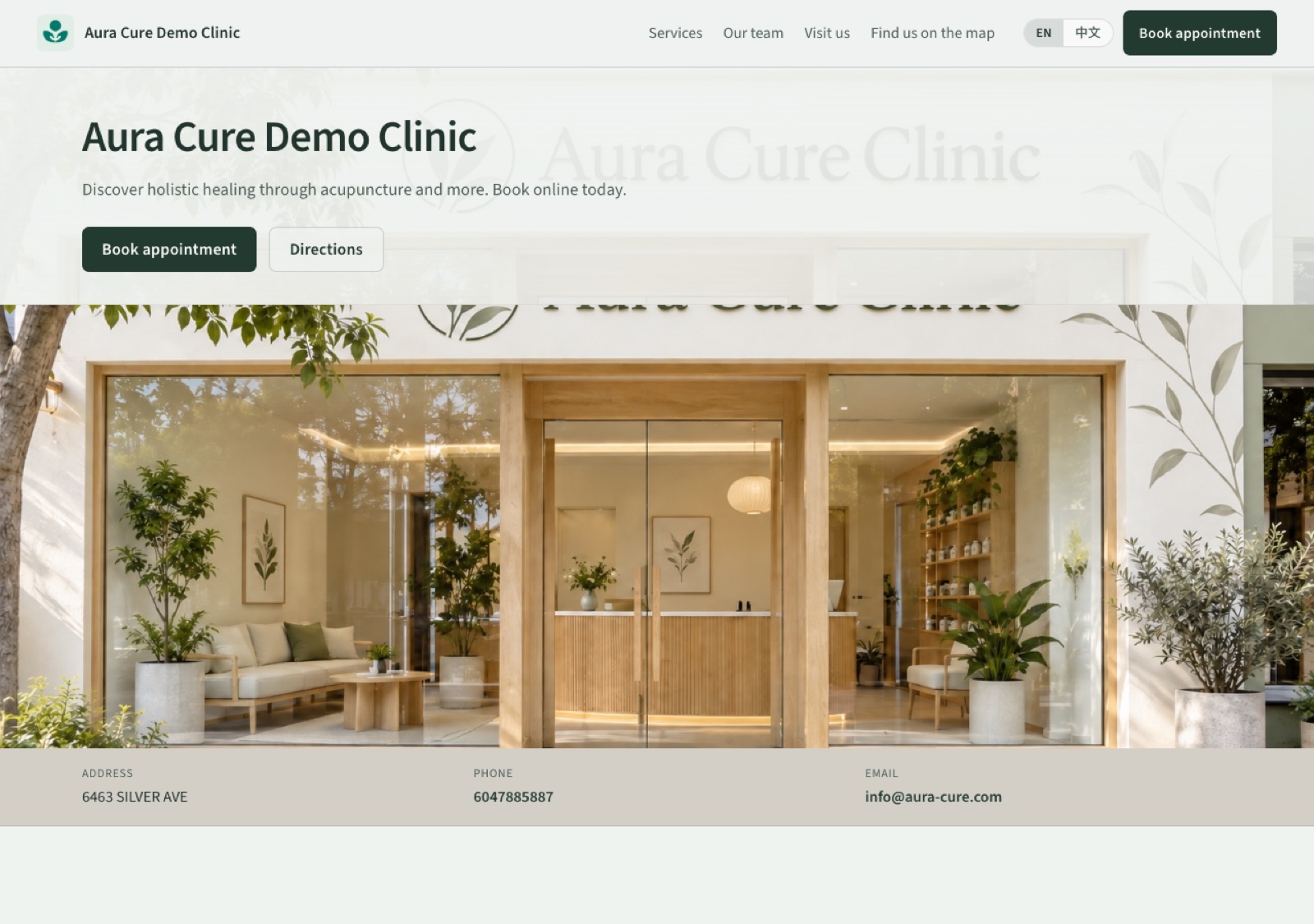
- Your clinic, introduced — Share your approach and what makes your space welcoming.
- Services at a glance — Help visitors understand what you offer and what it costs.
- A familiar face — Introduce the people behind the care.
- The details that matter — Keep your location, contact information, and booking access together.
Example clinic website built with Aura Cure.
Less time building.
More room for your clinic.
Start with your clinic details. Choose a design, refine your content, and preview a website that feels like yours.
Designed for clinics
Find your clinic’s look.
Choose from three welcoming designs, then make the space your own with your services, team, and photos.
- Flourish — Bright, open, and modern.
- Serene — Soft, calm, and understated.
- Roots — Warm, grounded, and natural.

AI-assisted writing
Before
“We offer acupuncture and massage in Vancouver. Our clinic is a calm, comfortable space.”
After
“Welcome to our Vancouver clinic for acupuncture and massage, where a calm, comfortable setting helps you feel at ease.”
Illustrative copy example.
AI-assisted writing
Your words, with a little polish.
You know your clinic best. Start with a few sentences, then let AI help make your introduction clearer and more welcoming. Review the suggestion, make it yours, and save when it feels right.
Photo tools
Good photos. A stronger first impression.
Give your clinic photos and team portraits a more polished look. Improve lighting, tidy distracting backgrounds, and refine framing while keeping the people and places recognizable.
Compare the result with your original and choose what to keep.


AI translation & mobile
Write once. Welcome patients in both languages.
Turn on AI translation and add your copy in English or Chinese. Aura Cure automatically translates and aligns the matching content in the other language, helping you create a bilingual clinic website with less work.
Visitors can switch between English and Chinese and browse comfortably on their phones.
Search essentials
Give your website a foundation for search.
Add a clear page title and description to introduce your clinic in search. Published websites are included in Aura Cure’s sitemap to help search engines discover them.
Search visibility develops over time; indexing and rankings aren’t guaranteed.
Discover holistic healing through acupuncture and more. Book online today.
From first details to your first website.
A guided setup brings everything together. Save your progress, preview your website, and publish when you’re ready.
-
1
Choose your starting point
Create an account and choose Website Only. Want to manage your clinic with Aura Cure too? Select EMR + Website.

-
2
Introduce your clinic
Add your clinic details, logo, and services. The setup guides you through what’s needed.

-
3
Make it feel like yours
Choose a template, add your photos, and refine your introduction.

-
4
See it before it goes live
Preview your website and make any final adjustments.

-
5
Choose your plan and publish
For Website Only, activate Free. For EMR + Website, choose an eligible EMR plan in Account Settings. Then publish your website from Website settings when you’re ready.
A real website. A free place to start.
Build your clinic’s online presence without subscribing to Aura Cure EMR.
- · A public clinic website with an Aura Cure web address
- · Three ready-to-use designs
- · Clinic, service, team, and photo sections
- · Mobile-friendly layouts
- · English and Chinese pages with optional AI translation
- · Basic search title and description settings
- · A booking button when Aura Cure booking is enabled
- · AI writing and photo tools within monthly allowances
AI allowances vary by tool. EMR and AI clinical notes are available on separate paid plans.
FAQ
Do I need an Aura Cure EMR subscription?
No. You can create a clinic website with the Free plan. If you also want EMR and AI clinical notes, choose an eligible paid plan.
I already have a website. Can I try this first?
Yes. Create and preview your Aura Cure website before deciding to publish. Building a preview doesn’t change your existing website.
Can patients book through my website?
If Aura Cure booking is enabled for your clinic, visitors can use the booking button to open your Aura Cure booking page.
Do I need to write all the content myself?
Start with your clinic details and a short introduction. AI tools can help polish your wording, and you review the content before using it.
Can I update my website later?
Yes. Return to Website settings to edit your content, photos, design, and search information.
Can AI translate my website content?
Yes. Enable AI translation and provide your copy in English or Chinese. Aura Cure automatically translates and aligns the corresponding content in the other language. You can review the translation before publishing.
Will my website appear on Google?
Published websites include basic SEO settings and sitemap inclusion to support discovery. Google decides whether and how pages appear in its search results.
Ready for a website that feels like your clinic?
Start fresh, bring your clinic to life online, and take a look before you publish.
No EMR subscription required.